
Unlocking Your Ultimate Streaming Setup with the Right IPTV App
App installation guides are often the final hurdle between you and a world of limitless entertainment. In the rapidly evolving landscape of digital streaming, Internet Protocol Television (IPTV) has emerged as a powerful and flexible alternative to traditional cable and satellite services. It delivers television content over the internet, offering thousands of channels from around theglobe. However, to tap into this vast library, you need more than just a subscription—you need a high-quality IPTV player app. This app acts as the interface, organizing your channels, electronic program guide (EPG), and video-on-demand (VOD) content into a seamless, user-friendly experience.
With countless options available, choosing the right app can feel overwhelming. This guide will break down the best IPTV apps available today, helping you find the perfect one for effortless and enjoyable streaming.
What’s the Difference Between an IPTV Service and an IPTV App?
Before we dive in, it’s crucial to understand a key distinction.
IPTV Service: This is the subscription you purchase from a provider. It gives you access to the content—the live TV channels, movies, and series. This service provides you with login credentials, typically in the form of an M3U playlist URL or an Xtream Codes login (username, password, and server URL).
IPTV App (or Player): This is the software you install on your device (like a Firestick, Android TV box, or smartphone). The app itself does not contain any content. Its job is to load your IPTV service subscription and present it in a browsable, organized format.
Think of it this way: your IPTV service is the cable package, and the IPTV app is the cable box that lets you watch it.
Top IPTV Players for a Superior Streaming Experience
The best app for you will depend on your device, technical comfort level, and desired features. Here are our top picks that consistently deliver excellent performance.
1. TiviMate
TiviMate is widely regarded as the gold standard for IPTV on Android-based devices like the Amazon Firestick, Chromecast with Google TV, and Nvidia Shield. It boasts a modern, professional interface that mimics the look and feel of a premium cable box.
Best For: Users who want a premium, highly customizable, and EPG-focused experience.
Pros:
Beautiful and intuitive user interface.
Excellent EPG support and layout.
Highly customizable (channel groups, parental controls, search).
Supports multiple playlists.
Cons:
The best features are locked behind a small premium subscription. The free version is very limited.
Only available on Android-based platforms.
2. IPTV Smarters Pro (or Smarters Player Lite)
One of the most well-known and versatile players, IPTV Smarters Pro, is available on nearly every platform, including Android, iOS, Windows, and even some smart TVs. It’s a reliable workhorse that’s easy to set up, making it a great choice for beginners.
Best For: Beginners and users who need a cross-platform solution.
Pros:
Extremely easy setup with Xtream Codes API.
Multi-platform availability.
Solid VOD and series organization.
Includes features like multi-screen and catch-up TV.
Cons:
The interface can feel slightly dated compared to TiviMate.
The free version may contain ads.
3. GSE Smart IPTV
GSE Smart IPTV is another powerful, multi-platform player that stands out for its broad format support. If you have an M3U playlist that other players struggle with, GSE will likely handle it without issue. It’s particularly popular among iOS and Apple TV users.
Best For: Users on Apple devices or those with unique playlist formats.
Pros:
Excellent platform support (iOS, Apple TV, Android).
Supports a wide range of playlist and EPG formats.
Features like Chromecast support and parental controls.
Cons:
The user interface isn’t as polished as some competitors.
* Can take a bit longer to navigate due to its many options.
Your Essential IPTV App Installation Guides
Getting these apps onto your device can be simple or require a few extra steps, depending on your hardware.
For Amazon Firestick & Fire TV
Since many IPTV players aren’t on the official Amazon Appstore, you’ll need to “sideload” them. The easiest way is with the Downloader app.
1. Enable Unknown Sources: From the Firestick home screen, go to Settings > My Fire TV > Developer Options and turn ON “Apps from Unknown Sources.”
2. Install Downloader: Search for and install the “Downloader” app from the official Appstore.
3. Download the App: Open Downloader and enter the direct download URL (APK file) for the IPTV app you want to install (e.g., TiviMate). You can find these URLs with a quick online search for your chosen app’s official site or trusted sources.
4. Install and Delete: Follow the on-screen prompts to install the app. Once finished, it’s good practice to delete the downloaded APK file to save space.
For Android TV & Google TV (Nvidia Shield, Chromecast)
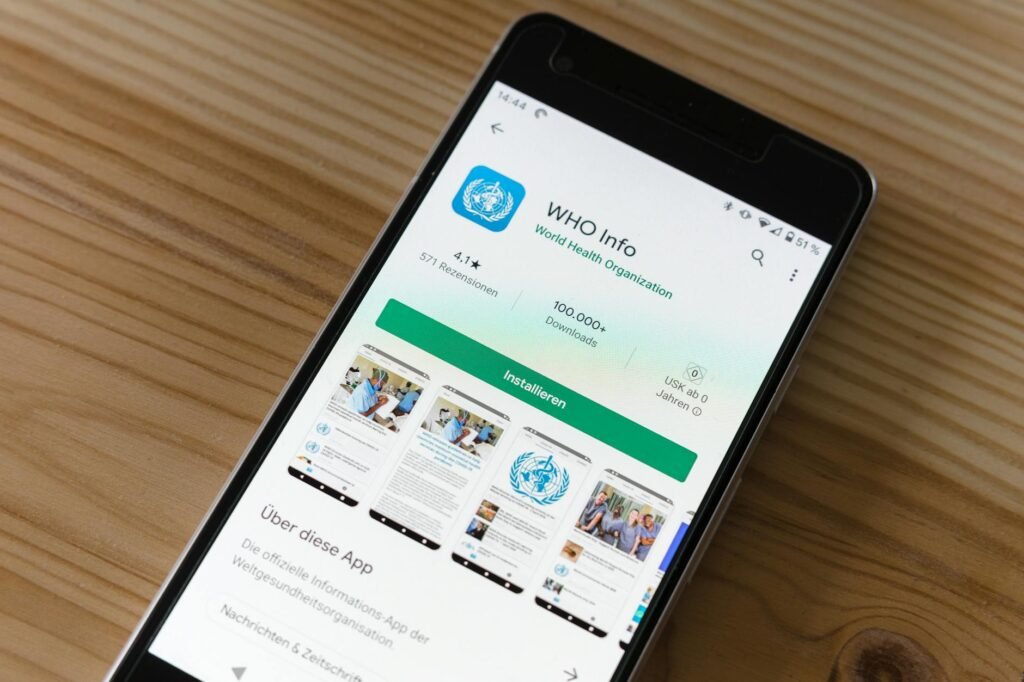
This process is much simpler, as most top-tier apps are available directly from the Google Play Store.
1. Navigate to the Google Play Store on your device.
2. Search for your desired app (TiviMate, IPTV Smarters, etc.).
3. Click Install and wait for it to complete.
For iOS & Apple TV (iPhone, iPad)
Apple’s ecosystem is locked down, but excellent players are available on the official App Store.
1. Open the App Store on your iPhone, iPad, or Apple TV.
2. Search for “GSE Smart IPTV” or “IPTV Smarters Player Lite.”
3. Tap Get** to download and install the application.
A Note on Legality and Security
It’s important to be aware that the legality of IPTV services can vary by region and the source of the content. Always subscribe to legitimate, verified IPTV providers who have the proper rights to distribute the content they offer. Using unverified or free services can expose you to security risks, malware, and unreliable streams. For added privacy and to bypass potential geo-blocking from your internet service provider, consider using a reputable VPN when streaming.
Conclusion: Take Control of Your Entertainment
The right IPTV app transforms a simple subscription into a powerful, personalized entertainment hub. Whether you prefer the polished, premium feel of TiviMate, the straightforward reliability of IPTV Smarters, or the cross-platform flexibility of GSE Smart IPTV, there is a perfect solution waiting for you. By following the correct installation guide for your device, you can unlock a world of content and enjoy a streaming experience that is tailored completely to your tastes.
Related posts

Best IPTV Services: The Ultimate Affordable List
While the promise of unlimited entertainment from free IPTV services is tempting, they often come with hidden security risks. Let’s explore the safe and genuinely affordable ways to stream your favorite content without breaking the bank.
Best IPTV Apps: Essential & Effortless Installs
Getting started with IPTV can feel daunting, but our simple app installation guides will have you set up and streaming your favorite content in no time.